Practice management for acupuncturists & small clinics
A clearer day. More attention for patients.
Appointments, patient forms, visit notes and checkout. See what each visit needs next, in one place.
Free forever. No credit card required.
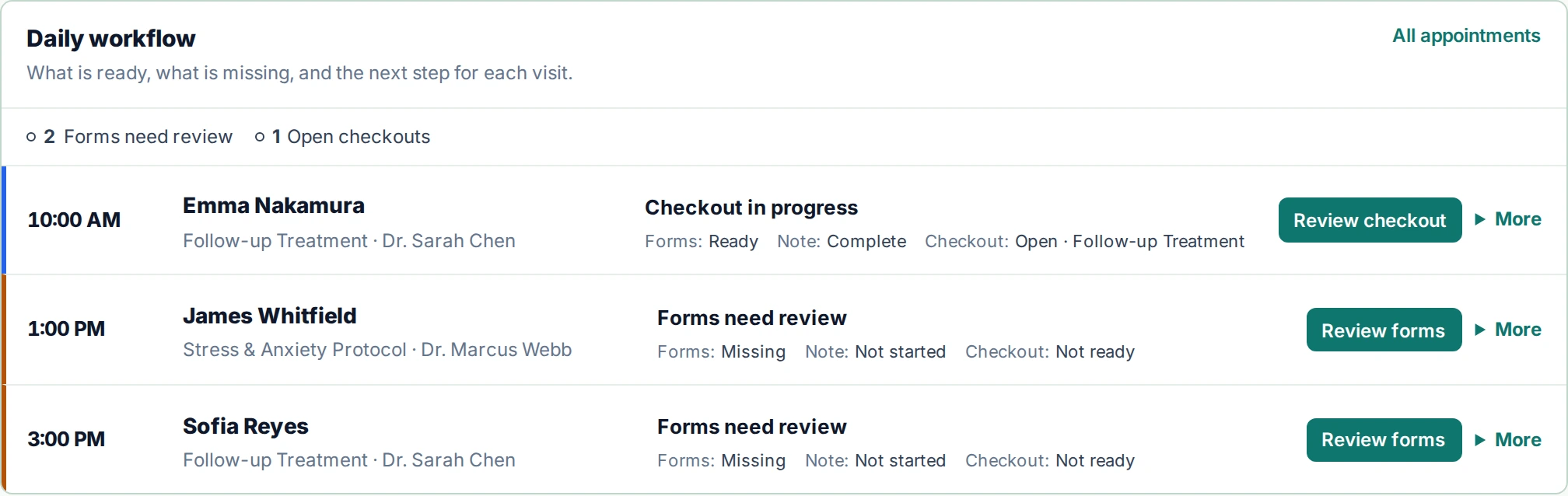
From the first appointment to the next visit
The patient stays at the center.
A practice day moves between people, paperwork and decisions. Keep the next piece of work in view.
Prepare for the visit
See appointments and form status before the patient arrives.
Keep the record together
Patient information, submitted forms and visit notes stay connected to the patient.
Close the loop
Review the charge, payment state and what still needs attention.
Less searching. More context.
Open the patient workspace to see submitted forms, appointments and visit history. Pending, submitted and reviewed are distinct states, so you know what still needs a look.

A clear next step at checkout.
See the visit, total, amount paid and balance together. Keep payment status and documentation in view without having to reconstruct the visit.
Explore the interactive demo
Built close to the work
Built by a former practitioner and software developer.
Alfred created Practiq after seeing how notes, forms, follow-up, checkout, and administrative work compete with patient care. He is personally available to help early practices configure a practical starting workflow.
Data control
Your practice. Your decisions.
Review clinical content before completing it. Manage access by practice role. Read the security and privacy details before deciding whether Practiq fits your practice.
Authorized practice owners and administrators can export supported practice data. Access remains limited by practice and role.
A practical starting point
Start small. Stay free.
Solo is permanently free for one practitioner, with patient records, scheduling, visit notes and core follow-up. Choose a paid plan only when you need its capacity or capabilities.
Compare all plansA few useful answers.
Is Solo really free to keep using?
Yes. Solo does not automatically expire and requires no credit card. Paid plans are available when you need more capacity or capabilities.
Do I need to install anything?
Practiq runs in your browser. There is no application to download or install.
Can I use simple notes and SOAP notes?
Yes. Write naturally for routine visits, or use SOAP when you want more structure. Optional AI drafts, where enabled, remain yours to review and edit.
Does Practiq submit insurance claims?
Practiq supports checkout, superbills and documentation for reimbursement. It does not submit insurance claims or act as a clearinghouse.
Make room for the work you came to do.
Start with one workflow. See how it fits your practice.